
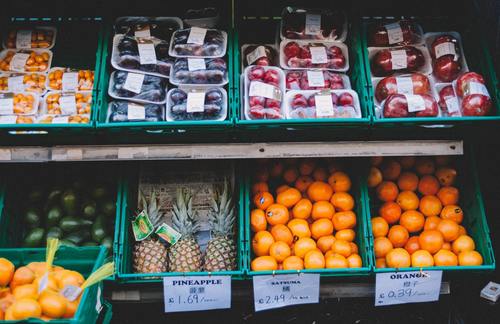
Product categories are essentially groups of products which have been put together based upon being related or having similar characteristics. Both physical and online stores organise their products into categories to make it easier for their customers to find what they are looking for. If you think about a recent trip to the supermarket, you would have seen similar products together, such as all the produce, all the dairy and all the meat. Within these categories, additional classification would have occured, such as putting the vegetables together and the fruit together, followed by specific produce groups such as apples or grapes. Because of these categories, it was easier to find the specific products you wanted to buy and move around the store.
Das Gleiche gilt für Websites. Eine Website mit gut organisierten Produktkategorien ist benutzerfreundlicher, Produkte lassen sich leichter finden und der Umsatz steigt. Die Gruppierung verwandter Produkte in einer Kategorie erleichtert zudem Suchmaschinen das Auffinden und Indexieren sowohl einzelner Kategorien als auch einzelner Produkte.
Daher bietet eine gute Organisation der Produktkategorien im E-Commerce mehrere Vorteile, darunter:
- intuitives Einkaufserlebnis auf einer einfach zu navigierenden Website
- improved customer experiences, which lead to happier customers who are more likely to shop again
- Umsatzsteigerungen, da Kunden genau das finden können, was sie wollen
- bessere Suchmaschinenoptimierung
- einfach zu navigierende Website
- besseres Kundenerlebnis
- gestiegene Umsätze
Schauen wir uns als Nächstes ein Beispiel an, wie ein Online-Shop dies umgesetzt hat.
Kategorien für Ihre Produkte erstellen
The first step in creating categories is to organise your products into related groups. How specific or broad you make those groups will depend upon your product range and the volume of products you sell. In general an online store that has broad main categories, will then break those down into sub categories even further to make finding a specific product easier.
Here's the decision making process the fictional store Mary's Clothing went through to create categories:
Mary's Clothing is an online retailer who purchases clothing at wholesale rates and then resells it to their customers. They decided to break their products down into three types of clothing categories: tops, bottoms and accessories. They then added sub categories to each of the main ones: tops listed shirts, t-shirts and sweaters, bottoms listed shorts, jeans and trousers and accessories listed jewellery, bags and scarves as sub categories.
To add categories in the CMS, click the blue eCommerce button, then choose the option Add a Category. On this page is where you would enter the name of the category and make other specific choices. Here is a video demonstrating how Mary set up her main and sub categories.
Produkte zu einer oder mehreren Kategorien hinzufügen
Nachdem Mary ihre Haupt- und Unterkategorien eingerichtet hat, muss sie die Produkte einer dieser Kategorien zuordnen. Natürlich kann sie ein Produkt bei Bedarf auch mehreren Haupt- und Unterkategorien zuordnen. Es gibt zwei Möglichkeiten, ein Produkt einer Kategorie hinzuzufügen. Die erste Methode: Klicken Sie unter „E-Commerce“ auf die Schaltfläche „Produkte bearbeiten“. Klicken Sie beim gewünschten Produkt auf „Produkt bearbeiten“ und wählen Sie dann die Kategorie aus, der Sie es hinzufügen möchten. Die zweite Methode: Klicken Sie einfach auf das Häkchen und wählen Sie die Kategorie oder Unterkategorie aus der Auswahl rechts auf dem Bildschirm aus. Dieses Video zeigt beide Methoden:
Eine hervorragende Anlaufstelle für Ratschläge von anderen E-Commerce-Betreibern zur Organisation von Kategorien ist unser Facebook-Gruppe. Außerdem kann es sehr hilfreich sein, sich anzusehen, wie Ihre Mitbewerber ihre Produkte präsentieren. Weitere Tipps zur Optimierung Ihres Shops finden Sie auf unserer Website. E-Commerce-Website-Blog.
Posted: Friday 5 November 2021
