
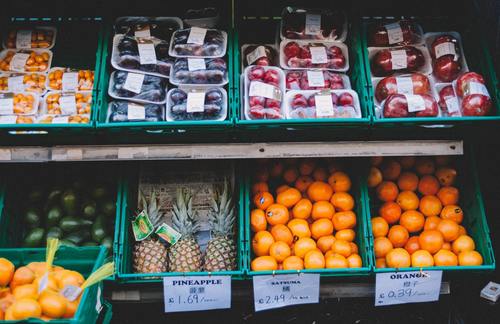
Product categories are essentially groups of products which have been put together based upon being related or having similar characteristics. Both physical and online stores organise their products into categories to make it easier for their customers to find what they are looking for. If you think about a recent trip to the supermarket, you would have seen similar products together, such as all the produce, all the dairy and all the meat. Within these categories, additional classification would have occured, such as putting the vegetables together and the fruit together, followed by specific produce groups such as apples or grapes. Because of these categories, it was easier to find the specific products you wanted to buy and move around the store.
وينطبق الأمر نفسه على المواقع الإلكترونية. فالموقع الذي يحتوي على تصنيفات منتجات منظمة جيدًا يسهل تصفحه، ويسهل العثور على المنتجات، ويؤدي إلى زيادة المبيعات. كما أن تجميع المنتجات ذات الصلة في فئة واحدة يُسهّل على محركات البحث العثور على الفئات والمنتجات الفردية وفهرستها.
لذلك، هناك العديد من المزايا لوجود فئات منتجات منظمة جيدًا في التجارة الإلكترونية، بما في ذلك:
- تجربة تسوق سلسة على موقع ويب سهل التصفح
- improved customer experiences, which lead to happier customers who are more likely to shop again
- زيادة المبيعات حيث يمكن للعملاء العثور على ما يريدونه بالضبط
- تحسين محركات البحث (SEO)
- موقع إلكتروني سهل التصفح
- تجربة عملاء أفضل
- زيادة المبيعات
الآن دعونا نلقي نظرة على مثال لكيفية قيام متجر عبر الإنترنت بذلك.
إنشاء فئات لمنتجاتك
The first step in creating categories is to organise your products into related groups. How specific or broad you make those groups will depend upon your product range and the volume of products you sell. In general an online store that has broad main categories, will then break those down into sub categories even further to make finding a specific product easier.
Here's the decision making process the fictional store Mary's Clothing went through to create categories:
Mary's Clothing is an online retailer who purchases clothing at wholesale rates and then resells it to their customers. They decided to break their products down into three types of clothing categories: tops, bottoms and accessories. They then added sub categories to each of the main ones: tops listed shirts, t-shirts and sweaters, bottoms listed shorts, jeans and trousers and accessories listed jewellery, bags and scarves as sub categories.
To add categories in the CMS, click the blue eCommerce button, then choose the option Add a Category. On this page is where you would enter the name of the category and make other specific choices. Here is a video demonstrating how Mary set up her main and sub categories.
إضافة المنتجات إلى فئة واحدة أو أكثر
Now that Mary has set up her main and sub categories, she needs to allocate the products into one of them. Of course, she could add a product into two or more different main and sub categories if required too. To add a product to a category, there are two ways you can do this. The first method is under the eCommerce option, click the Edit Products button. Click the Edit Product button for the individual product, then select the category you want to add it to. The second method involves simply clicking the checkmark square and selecting the category or sub category from the selection on the right of the screen. This video demonstrates how to do both of these methods:
مكان رائع للحصول على نصائح من أصحاب التجارة الإلكترونية الآخرين بشأن تنظيم الفئات هو مجموعة فيسبوك. بخلاف ذلك، قد يكون من المفيد جدًا الاطلاع على كيفية تنظيم منافسيك لمنتجاتهم. لمزيد من النصائح حول تحسين متجرك، تفضل بزيارة موقعنا. مدونة موقع التجارة الإلكترونية.
Posted: Friday 5 November 2021
