

Google Analytics 4 (GA4) 是 Google 最新的网络分析工具,用于跟踪网站和应用上的访客活动。与之前的版本 Universal Analytics 相比,GA4 提供更多功能和数据,让您能够更好地了解访客如何与您的网站互动。Google Analytics 4 的新功能主要包括:
- 测量已成为事件 - page views are no longer the key metric, with GA4 reporting on events instead. Engagement metrics are now available too.
- 仪表盘设计简洁流畅 GA4 控制面板的界面已发生变化,许多报告被移至其他位置。您现在还可以自定义控制面板,并通过从网站或应用上的触发事件创建自定义细分,更准确地跟踪客户互动。
- 预测指标可用 - 由 Google AI 创建的预测指标可为您提供创建新受众群体和定向 Google 广告所需的信息,并为您的网站创建自定义渠道。
- 跨平台跟踪 您将能够看到客户在不同平台之间的完整旅程。
- 更加重视客户隐私 - 隐私控制措施,例如行为和转化建模,以及无 Cookie 测量
- 网站和应用程序的报告 - data is now recorded for both users of websites and apps
如何将 Google Analytics 4 添加到您的网站
To use GA4, you must first either create a new Analytics account if you do not already have one, or add a new GA4 property to your website. Google has created 分步说明 以及 自学课程 which are available for referring to on how to do both of these things.
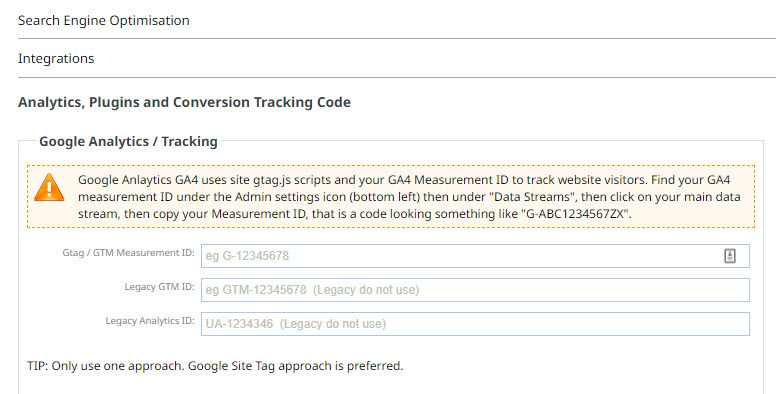
完成上述任一步骤后,您即可将 GA4 测量 ID 添加到 CMS 中。下方截图显示了输入 ID 的框。您可以在“SEO”选项卡下的“跟踪”选项卡中找到此框。登录 GA4 帐户后,请注意,如果 GA4 在您完成所需自定义设置后没有自动标记步骤完成,您可能需要手动点击尖括号 [>] 图标来标记步骤完成。
Of note, Website World has native integration with GA4, so that you can better analyse success metrics including dollar value of sales.
如何使用 Google Analytics 4
如果你最擅长通过实践学习,谷歌就是一个很好的选择。 GA4 Demo Account 您可以放心尝试,无需担心更改帐户设置。一旦您感觉熟练后,还需要学习和设置 GA4 网站帐户中的许多内容,以便衡量网站数据。
There are three key sections within GA4 to be aware of and understand (plus the configure section found elsewhere)
- 报告 - here you'll find information about the customer journey, including how they found your site, what they did on your site, and where they came from
- 探索 这里提供深度自定义报告和数据可视化功能。
- 广告 - 您可以在这里找到与您的付费 Google 广告相关的信息,包括转化和用户旅程。
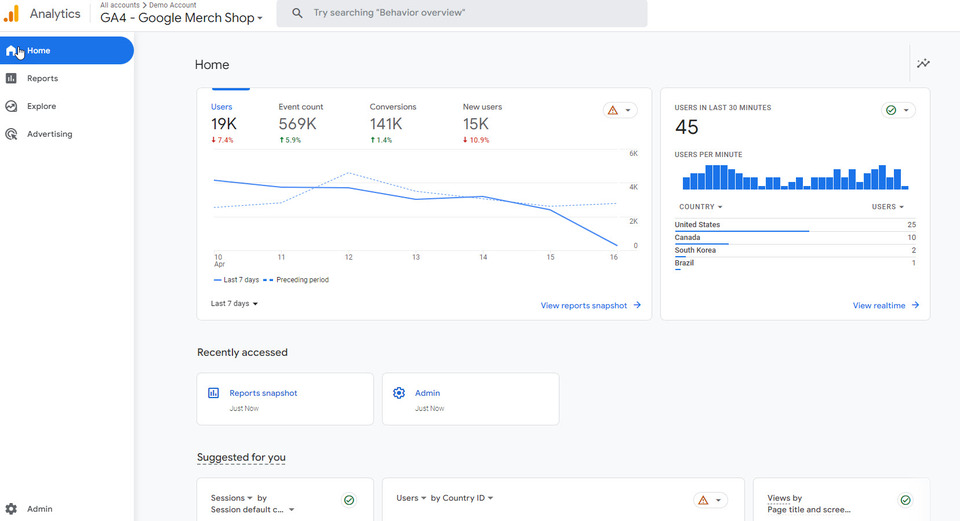
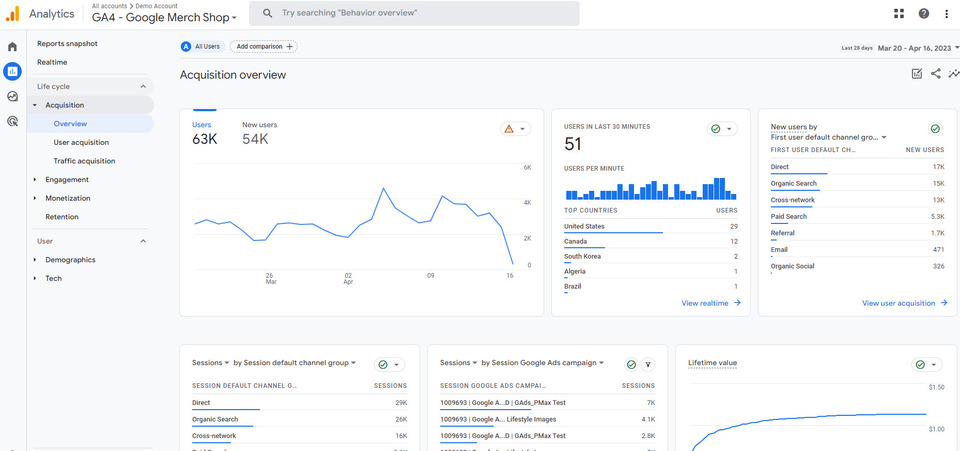
如果我们进一步探究…… 报告部分其中有四种主要报告类型:用户获取、用户参与、用户变现和用户留存。
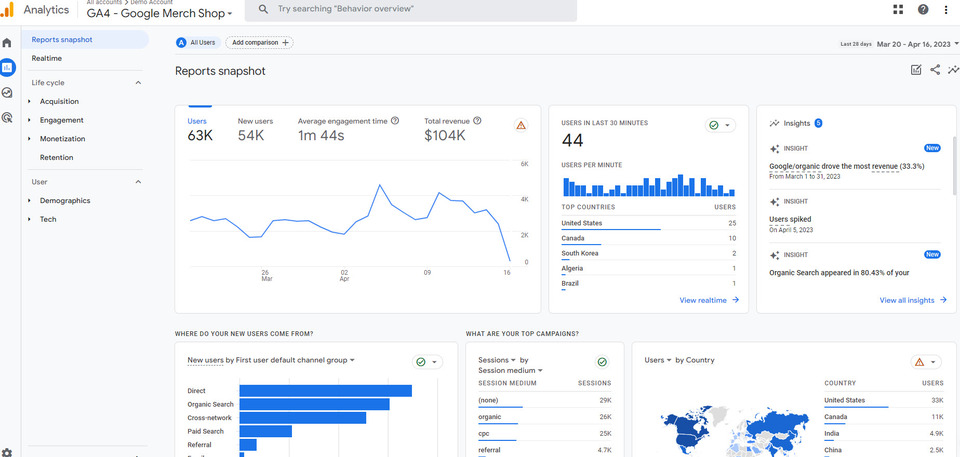
这 获得 概览摘要屏幕将显示可用的报告,其中详细说明了用户如何访问您的网站以及他们使用的渠道。
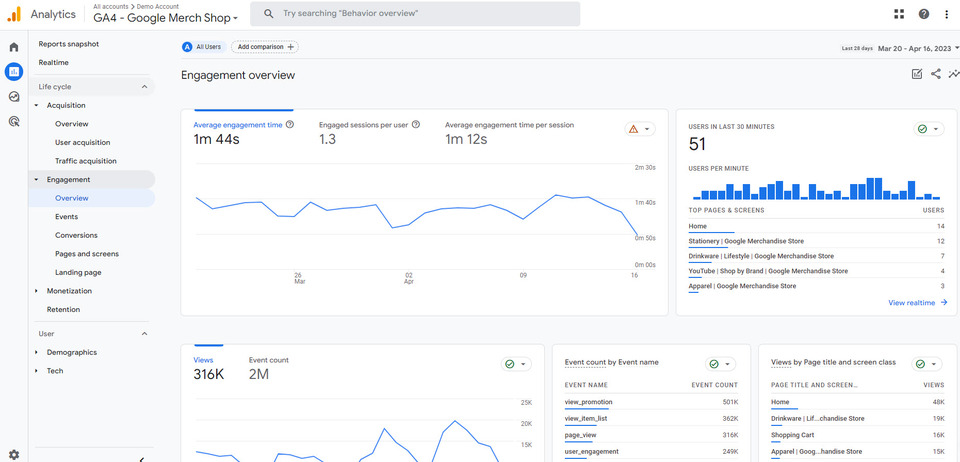
这 订婚 overview summary screen shows what users do with your app or website. It gives information about engagement time, users in the last 30 minutes, views and an event count. Events are very important and you will need to set up events you wish to track - we'll explain how to do this further down this article.
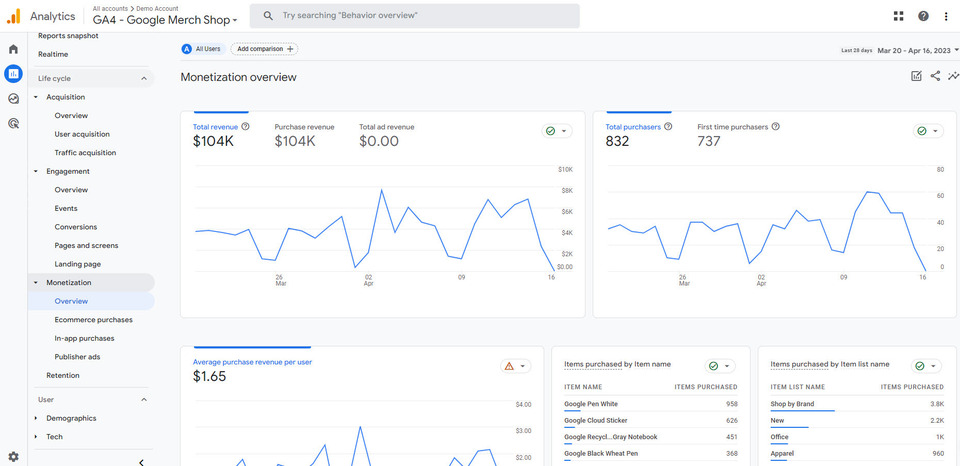
货币化 reports provide information about how your app or website is creating revenue through purchases or advertising. You'll see information about total revenue, average revenue per user, most popular purchases, number of purchasers and first time purchasers.
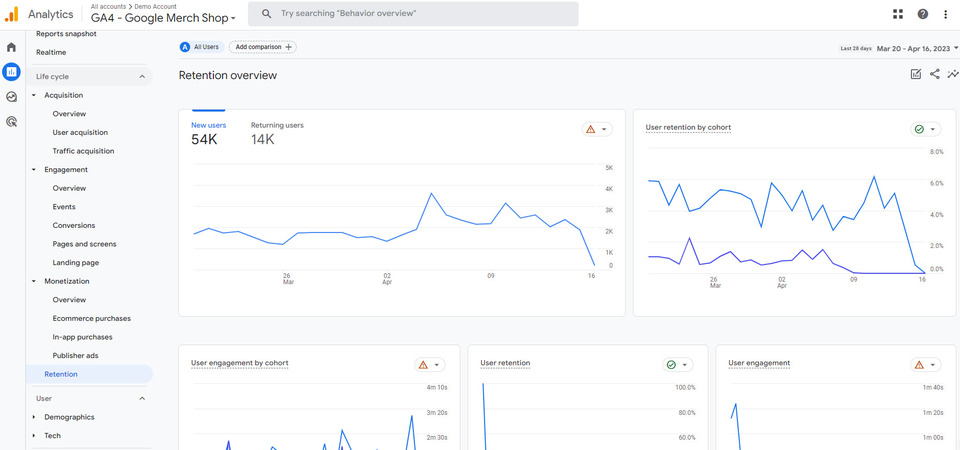
这 保留 报告会提供有关回头客的信息,将他们与新用户进行比较,分析他们回头时的参与度以及他们的终身价值。
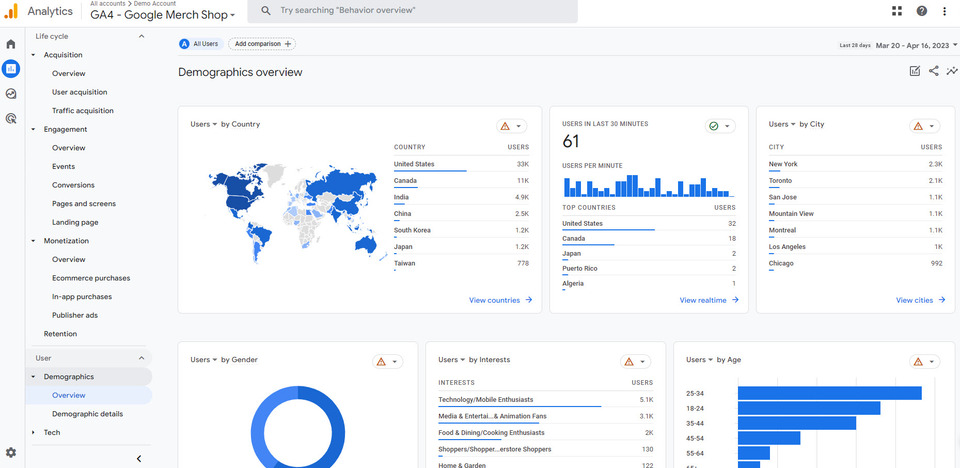
Further down you will also see there are reports available specifically on users, with reports on demographic overview and demographic details.
Understanding Events in Google Analytics 4
在 Google Analytics 4 (GA4) 中,事件几乎是追踪所有数据的主要方式。事件使您能够衡量应用或网站上发生的特定事件或交互。GA4 内置了一些事件,会自动收集相关信息,包括屏幕浏览量、页面浏览量、应用内购买、首次访问、首次打开、文件下载、广告展示次数和应用异常处理。更多 有关自动事件数据的具体信息,请点击此处查看。 谷歌也提供了相关说明 创建您自己的自定义事件 并给出了一些 recommended events 它还建议你也进行设置。
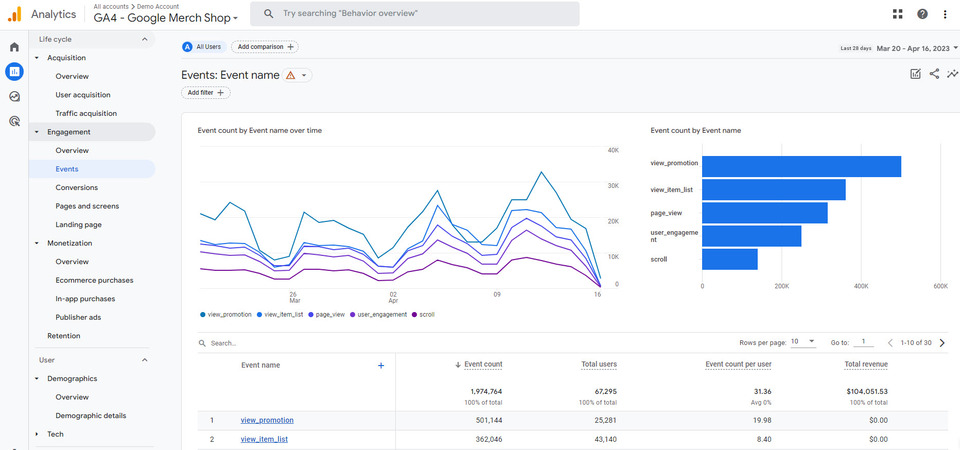
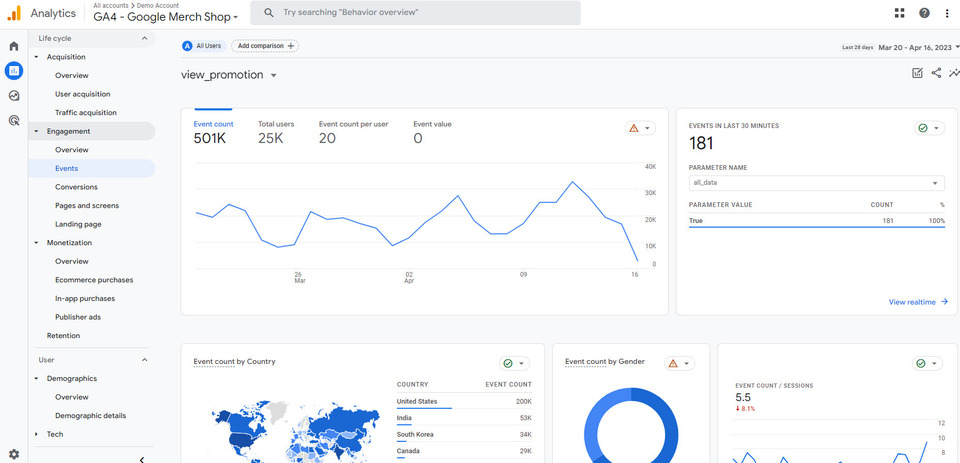
在上述 GA4 演示帐户的事件概览截图中,您可以看到他们设置了多个要跟踪的事件。点击其中一个事件,即可打开该事件的专属报告,其中包含更多数据。
要充分使用和理解 Google Analytics 4 的所有功能,确实需要时间和精力。如果您需要更多帮助,我们建议您联系当地的专业公司。 专注于谷歌服务.
Posted: Monday 17 April 2023
