
- We do not have to be involved in this process, but do tell them you are using our shopping cart. The signup process may take a few days and involve your bank and signing contracts.
- 前往 E-commerce tab > Payment Options
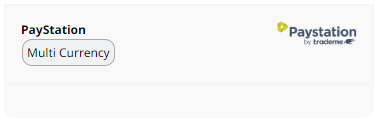
- Scroll down to PayStation and click the 多币种 button. Clicking anywhere else on this area will take you to PayStation's website.
4. On the next page you will find a URL called a "Callback URL" Paystation will want you to provide this to them.
If they ask for a separate Return URL or Thankyou URL or POST URL, they can use the same one as above... so long as they send all the same details.

5. When approved, enter your Paystation ID into the box on this screen in the CMS and the Gateway ID provided to you from PayStation and press 保存更改.
6. 发布
7. Test
Pay Station Administation Console You can check the status of payments in their administration console. Email payment notifications should not be trusted. Always login to Paystation to confirm payment.
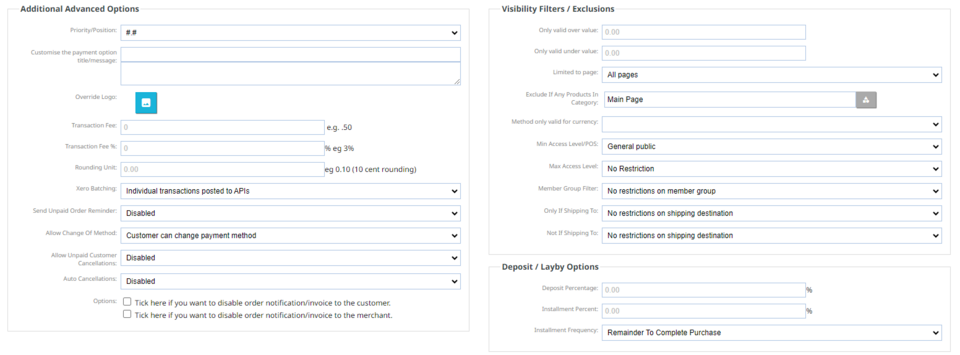
Additional Advanced options are available below this box on the CMS.
Please be aware of the terms and conditions you signed with your payment gateway as to if you are allowed to pass any surcharges onto your customers.
More From This Section
This explains what a payment gateway and a merchant account is and when you might need one.
What payment options can I use on my website to accept credit cards
Choose from the following list of payment options
You can add multiple payment options to your E-Commerce Store page
Here is how to create a thank you page after your customers place an order and process their credit card details
Most payment gateways offer you two options: To implement your own checkout, or to use a hosted payment page. We suggest you use the hosted payment page.
Here are the technical answers to questions you may find on the form when you setup a new merchant account
If you are using Paymark for viewing your merchant transactions, please refer to these logins
Where to add your returns/terms and conditions text for the confirmation during checkout.
Where to add additional comments or information for a successful credit card transaction
We now support a custom FORM/URL builder. So you can integrate almost any known payment gateway, using our dynamic parameter and custom HTML code segment.
Repeat Order Service, Online Membership Service, Set and Forget or copy/paste recurring code from Paypal.
Learn how to setup the automated cancellation of unpaid orders
You can hide a retail payment option from logged-in members / wholesalers
You can disable a customers ability to change from one payment method to another.
Here is how to set repeat billing for the Worldline (Paymark Click) payment gateway
If you would like to provide your bank account details to your customer upon order submission.
How to integrate Stripe payment gateway or sign up for a new Stripe account.
How to integrate Paystation payment gateway
How to integrate Afterpay and common questions related to afterpay.
How to integrate the Zip buy now pay later payment gateway.
How to integrate the new PayPal method (Oct 2025)
BNZ Buyline issue - If you have selected payment options within the cart setup area and they are not displaying correctly.
You can use our platform to take deposits or staggered payments from customers
You can change or remove the payment logo for a specific payment method via the Payments Setting button.
FAQ Topics
The Basics
Building your site
- Pages
- Content Editor Modes Explained
- - DRAG DROP Editor (Default)
- - CONTENTBOX Editor (Advanced)
- - WORD STYLE Editor (TinyMCE)
- - LIVE Editor (Click to Edit Mode)
- Styling Content
- Images / Backgrounds
- Banners and Sliders
- Uploading content
- Design Templates
- Forms
- More Q & A
- Menus
- Mobile Styling and Optimisation
Advanced Page Types
E-Commerce
- Shopping Basics
- Product Pricing, Currencies
- Category Management
- 产品
- Product Options
- Layout and Formatting
- 付款方式
- Freight - Couriers
- Processing Orders
- Orders / Invoices
- Advanced Ecommerce
- Plugins
- Wholesale
- Bookings Management System
- Stock & Quantities
- Vouchers, Discounts, Loyalty Points
- Selling Photos / Prints
- Shopping Cart Add-on Page types
- Advanced APIs / Add ons
- 销售点(POS)
- Reports
Email & Membership
- Member Management
- Members Pages / Template Customisations
- From Addresses and Reply To Email Notifications
- Global Enquiry form options
- Standard Field Names
- Webmail
- Bulk Email
- CRM Features
- Email Campaigns
- Forums & Blogs
- Pop3/Imap Email Services
- Scams and Hoaxes
- Lead Magnets / Growing Your Customer Database
Promoting your site
Advanced
- Power User Options
- Form Spam Filtering
- Wordpress
- PHP Setup
- [TAGS]
- FONTS - Embedding Web Fonts
- jQuery snippets
- FONTS - Uploading local font files
- Search External Links / Import external content
- HTML / CSS Snippets
- Loading additional Material Symbols styles
- FAQ Help Map
- Advanced Template Customisation, CSS, etc
- Languages and Translations
- Importing Content from Another Platform
