
How to integrate Zip Payments
Once you have applied for an account for Zip and been approved, please follow these steps in your website CMS:
1. From the side bar of the CMS, click the E-commerce button
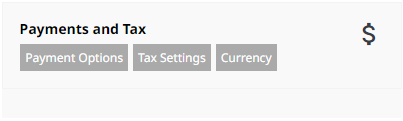
2. Find the Payments & Tax section, then click 付款方式
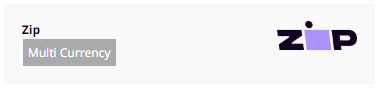
3. Scroll down to the Zip Payment Option, and click the 多币种 Button inside the Zip box.
4. Add your 客户ID provided by Zip
5. Add your Client Secret provided by Zip. It is best to copy and paste these to eliminate mistakes. Ensure there are no extra spaces before or after the key.
6. Change the Test Mode to Production Mode (live)
7. Press 保存更改.
8. 发布.
9. Test by viewing products and placing a test order. This can be done while the website is in trial status as well as on a live website.
However, if your website is still currently in trial mode a successful payment will not be able to call back to the orders screen until your website is live.
Please check the status of the payment in your Zip dashboard if unsure.

附加信息
From August 2026, Zip no longer supports NZ$.
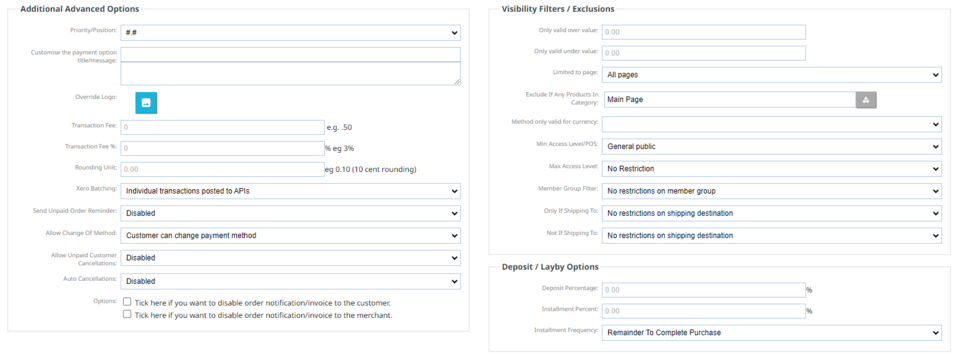
More options are available beneath this screen which you can choose to set options such as a minimum amount required to use the Zip payment option and more.
Please be aware you cannot pass on surcharges to your customers as per Zips T & C's: https://help-nz.zip.co/hc/en-us/articles/5709472945167-Can-I-pass-on-some-or-all-of-the-Zip-merchant-fees-to-my-customers
More From This Section
FAQ Topics
The Basics
Building your site
- Pages
- Content Editor Modes Explained
- - DRAG DROP Editor (Default)
- - CONTENTBOX Editor (Advanced)
- - WORD STYLE Editor (TinyMCE)
- - LIVE Editor (Click to Edit Mode)
- Styling Content
- Images / Backgrounds
- Banners and Sliders
- Uploading content
- Design Templates
- Forms
- More Q & A
- Menus
- Mobile Styling and Optimisation
Advanced Page Types
E-Commerce
- Shopping Basics
- Product Pricing, Currencies
- Category Management
- 产品
- Product Options
- Layout and Formatting
- 付款方式
- Freight - Couriers
- Processing Orders
- Orders / Invoices
- Advanced Ecommerce
- Plugins
- Wholesale
- Bookings Management System
- Stock & Quantities
- Vouchers, Discounts, Loyalty Points
- Selling Photos / Prints
- Shopping Cart Add-on Page types
- Advanced APIs / Add ons
- 销售点(POS)
- Reports
Email & Membership
- Member Management
- Members Pages / Template Customisations
- From Addresses and Reply To Email Notifications
- Global Enquiry form options
- Standard Field Names
- Webmail
- Bulk Email
- CRM Features
- Email Campaigns
- Forums & Blogs
- Pop3/Imap Email Services
- Scams and Hoaxes
- Lead Magnets / Growing Your Customer Database
Promoting your site
Advanced
- Power User Options
- Form Spam Filtering
- Wordpress
- PHP Setup
- [TAGS]
- FONTS - Embedding Web Fonts
- jQuery snippets
- FONTS - Uploading local font files
- Search External Links / Import external content
- HTML / CSS Snippets
- Loading additional Material Symbols styles
- FAQ Help Map
- Advanced Template Customisation, CSS, etc
- Languages and Translations
- Importing Content from Another Platform
