
关于如何在你的网站上销售电子书,你需要知道的一切
将你的知识和热情转化为电子书,并在你的网站上出售,可以为你提供被动收入来源。
We're going to explain how to do this in six steps from start to finish. They are:
- 撰写你的电子书
- 电子书格式设置
- proofreading your eBook
- 为你的电子书创建封面
- 将您的电子书上传到您的网站
- 推广你的电子书
让我们开始吧!
撰写你的电子书
撰写电子书的首要任务是确定主题。理想情况下,主题应与您所在行业的业务相关,并且是您已经非常熟悉的领域。此外,主题还必须是您的目标受众想要阅读和了解的内容。
接下来是书名,虽然有些人会把这一步留到最后。但现在就确定书名,可以帮助你保持思路清晰,并激励你完成写作。
接下来就是写作了。这也是人们要么不开始写电子书,要么写了一半就放弃了的主要原因。如果你实在不想自己写,可以考虑雇佣代笔作家。否则,你可以先写一个简短的提纲,把内容分成章节,再把每个章节分成引言、正文和结尾。一般的电子书只有35页左右,大约11000字,所以完全可以做到。
电子书格式设置
Once you have finished writing your eBook, your next job is to format it. Many people outsource this, as arranging spacing, images and the best file type can be challenging. If you do take the DIY formatting route, here are some tips to help you achieve a great result:
- 留白是你的朋友
- 全文使用一致的字体和字号。
- 在适当的地方插入清晰的图片和图表
- choose the most appropriate format for your eBook based upon where you are selling it. For instance, a PDF format is fine when selling through your Website World eCommerce site.
Proofreading Your eBook
谁都不想在自己购买或免费获得的东西里看到语法错误和拼写错误!花点时间重新阅读你的文章,找出错误并改正。最好也用几个不同的拼写检查工具检查一下。
你也可以免费赠送一份电子书给别人,征求他们对书稿的意见并请他们帮忙校对。这是一种很好的测试电子书效果的方法,可以在正式上传到网站销售之前进行测试。
如何为你的电子书创建封面
A well designed and thought out cover will help sell and promote your eBook. While it's not a book a customer will see on a shelf, pick up and look through, the cover will be seen on your website and in promotional materials. It will also be seen on the finished product too.
你可以聘请一位平面设计师为你设计封面。或者,你也可以使用许多在线工具,例如 Canva,自己创建封面。
将您的电子书加载到您的网站
如果您尚未开展线上销售,则需要先在网站上添加购物车。如果您已有购物页面但没有购物车,请在页面选项中将页面类型更改为“购物车”。如果您还没有购物页面:
- Click [add a new page] under the blue page buttons on the left menu
- Click [Shopping cart layouts], select an appropriate shopping page. Shopping gallery is very photo centric, allowing customers to see a lot of product photos quickly, with just a small description under each. The other shopping page types have a thumbnail on the left, and a longer product description on the right, possibly with a buy button on the product listing pages.
- You will now be presented with [How to manage your catalogue] page. The grey button "Setup" is a good place to start as it list all the steps with links to setting up your shopping cart, simply start at the top and work down.
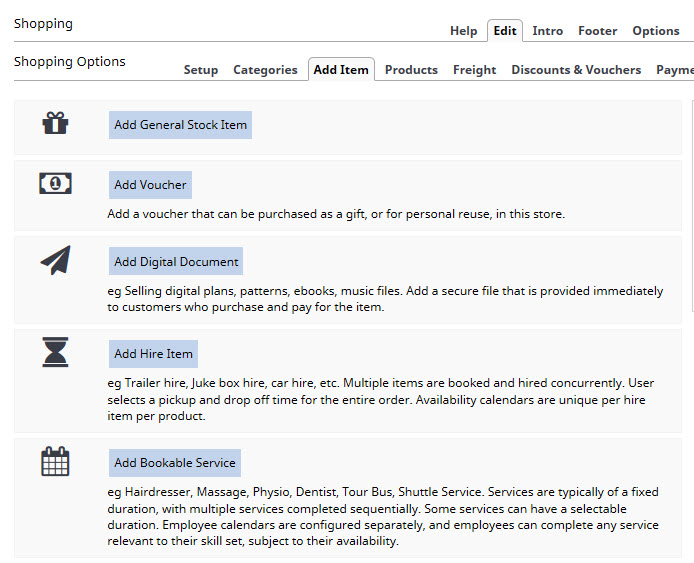
接下来,您需要将电子书添加为产品。前往“购物”选项卡,然后选择“添加新产品”按钮。接着选择“添加数字文档”选项。
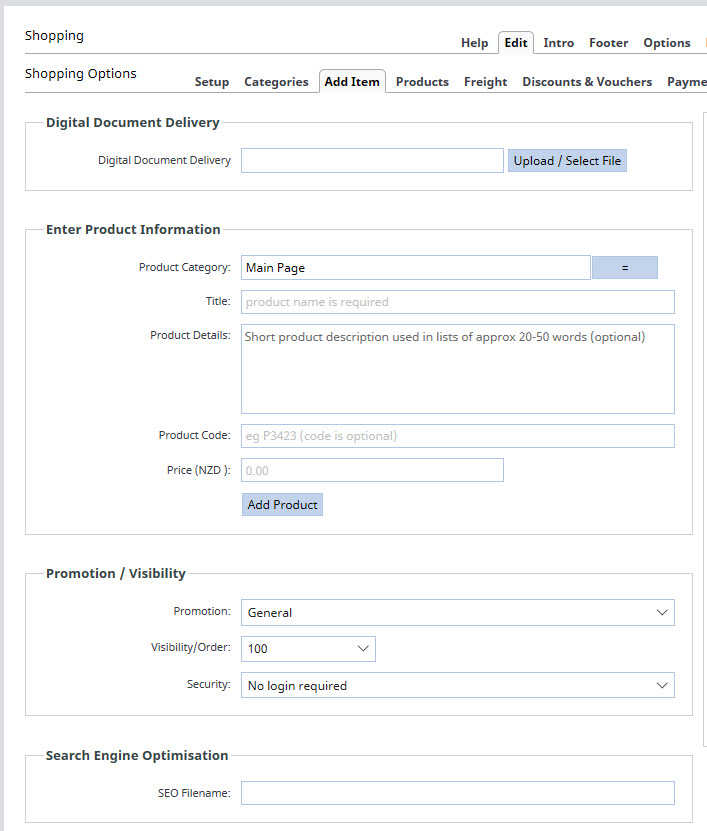
就像销售实体产品一样,输入电子书的所有产品详情和价格。唯一的区别是,您还需要上传电子书文件。
Once those details are entered, there are further shopping cart options you can work through including:
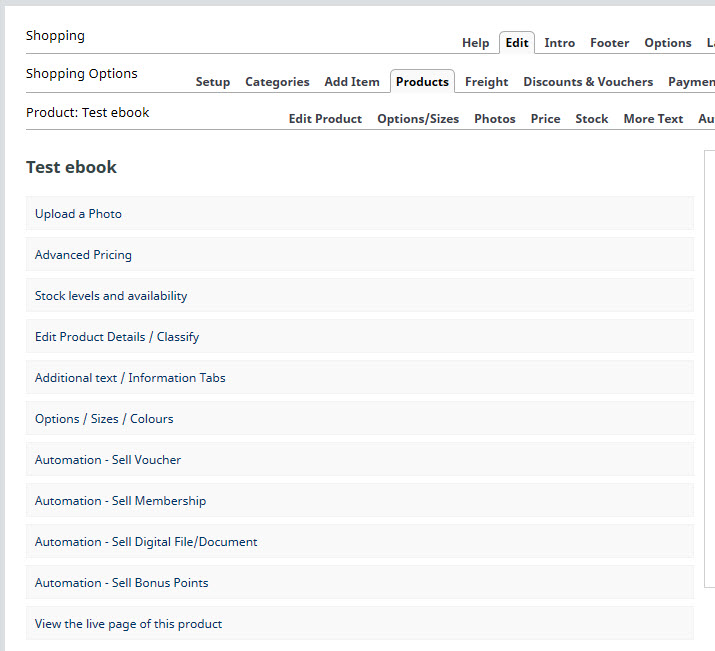
For your digital product specifically, you will need to edit the Automation - Sell Digital File/Document area if you haven't already linked the product with its corresponding file in the steps above. If you have, then a 信用卡付款成功后,附件链接将立即通过电子邮件发送给购买者。 如果购买者通过其他方式付款,则您需要手动通过电子邮件发送该文件。 为防止有人散布链接,文档下载链接每天最多只能使用 5 次。
Don't forget that you will also need to set up general shopping options such as freight, currency and payment gateways too.
推广你的电子书
您可以在电子书正式发布前就开始推广,以提高目标受众的认知度,发布后也可以继续推广。以下是一些电子书推广建议:
- 付费广告——包括社交媒体网站和私人网站。
- 电子报——向您的电子邮件列表发送邮件,或者付费让广告商将您的信息发送给他们的列表。
- social media - add your eBook promotion to your social media accounts of Facebook, Instagram, Pinterest and others
- 创建一个特定的 着陆页 派人去
- 从您的博客和其他网站页面添加指向它的链接
- 客座博客
现在,你的电子书已经准备就绪,可以开始发布了。 弄个网站吧 with us today.
Posted: Friday 6 September 2019
