
7 种热门网站配色方案,激发您的灵感
毋庸置疑,色彩会以多种方式影响我们。您为网站选择的颜色会影响您的销售额、访客在您网站上的停留时间以及他们访问网站时的感受。您可以阅读我们的文章了解更多相关信息。 学习如何运用色彩心理学提高网站转化率.
现在让我们来探讨一下网站的一些颜色选择:
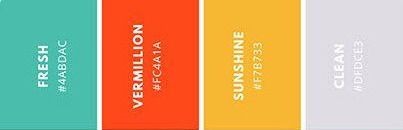
明亮又有趣
这四种颜色组合在一起,呈现出一种温馨的色调,外观干净利落。
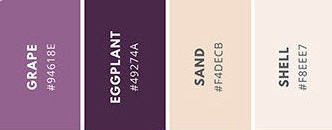
Use Tints
Using different tints and tones can help you emphasize different parts of your site, while giving it a minimalist appearance.
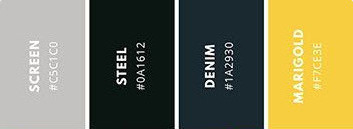
Modern
想要打造现代感十足的外观,可以尝试使用这四种颜色。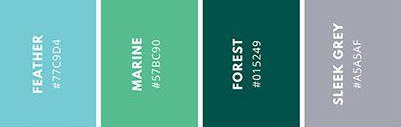
时尚清新
Perfect for an eco-themed or environmental website, to provide a fresh, clean and calming effect for visitors.
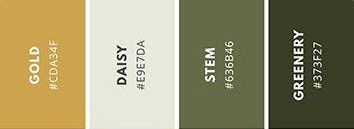
复古主题
Many ecommerce stores are selling vintage themed products nowadays. Use these modern vintage colours for the wow factor.
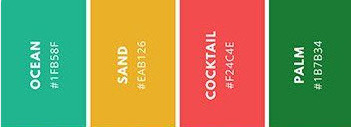
热带主题
销售现代产品,或提供假日或活力四射的服务?那就试试这些吧!
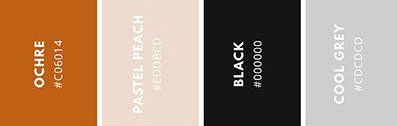
Minimalist
使用深色和白色来保持简约风格,然后添加一些浅色来吸引眼球。
决定网站颜色的摆放位置
确定网站颜色后,接下来需要选择它们的应用位置。以下是一些需要考虑的区域。
- 标题
- Title
- Border
- 段落文本
- 背景
- 菜单
- 链接
如何更改网站颜色
To learn more about changing your website colours, view our video below. For further inspiration, check out this Pinterest 板块 which has plenty of awesome website colour schemes!
Posted: Friday 1 February 2019
