
By default the snippets in the Drag-drop and Contentbox editors position images within a fixed column layout, but is possible to have the text wrap around images in the Drag-drop and Contentbox editors.
To create inline text that wraps around an image.
- Start with a text snippet block.
- Click your cursor into the area where you would like add your image
- Click the IMAGE ICON button in the text-toolbar to insert a default image.
- Set your alignment via the INLINE section of the image properties modal
- When the alignment is applied, the image will shrink to max-width 40%. You can override this if needed. - Set your vertical or horizontal spacing, or use set your margins using the style modal as needed.
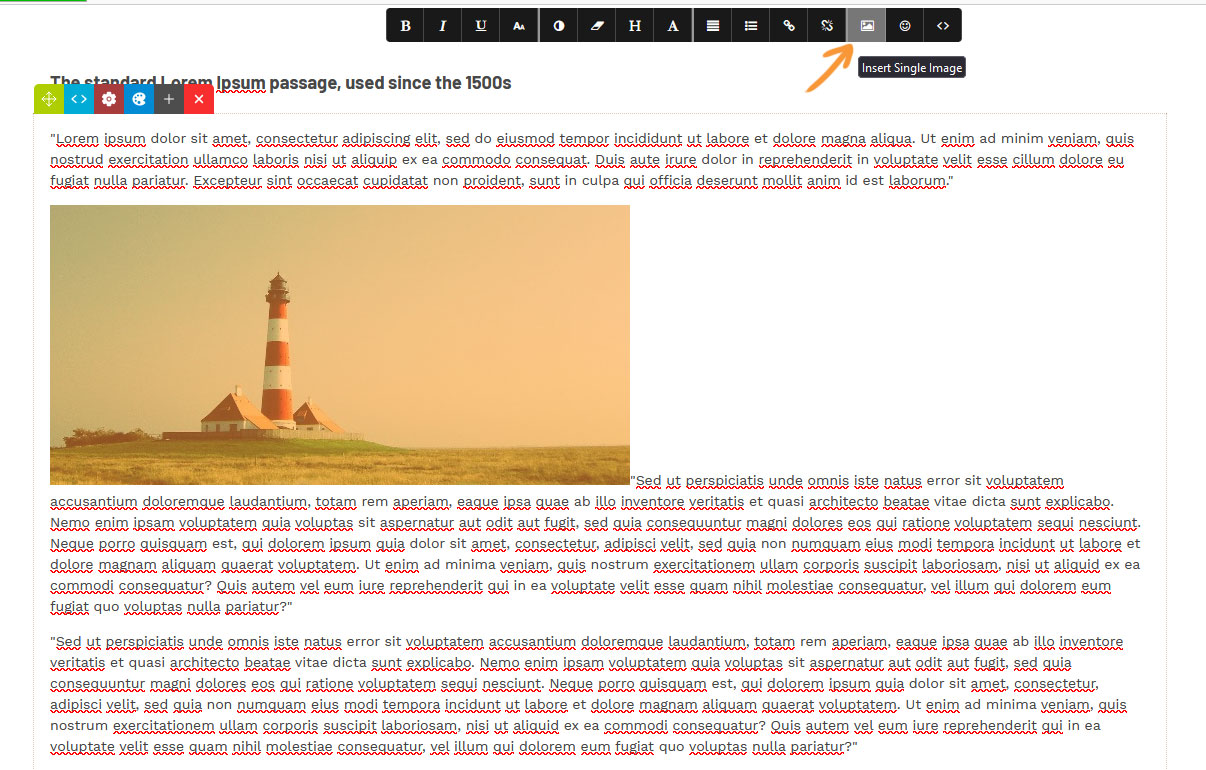
Click into the text where you would like to add the image, then click the Insert Single Image icon.
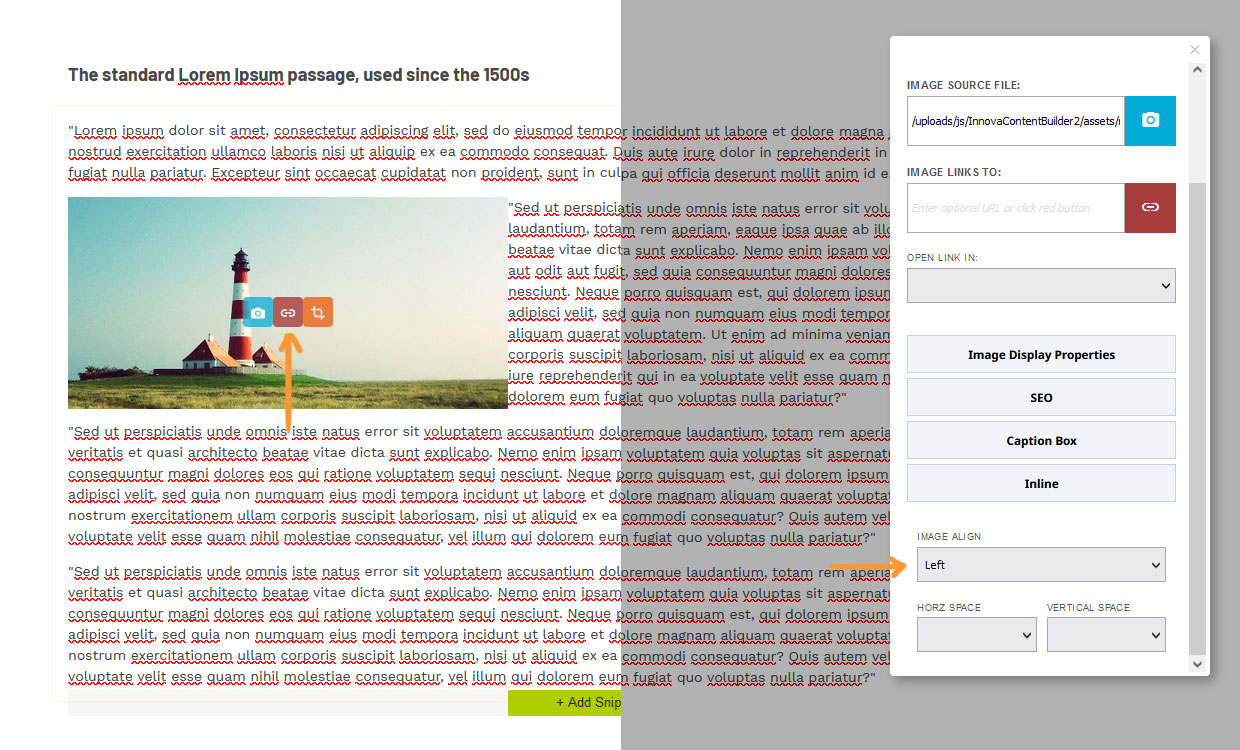
Launch the image properties modal and set the image alignment to left or right to wrap the text, set horizontal or vertical spacing or margins as needed.
More From This Section
Here are the correct file formats and sizing requirements for uploading images to your website.
The stylemodal popup provides some information about the size of your uploaded image and its size in the website
The crop image wizard can help you to crop the display area of a set of images at once for image dimension uniformity.
By default images scale to fit the available column width, but if your image is smaller than the available area you can disable the scaling using the crop icon.
You can use the cropping engine when uploading or editing an image to permanently crop the image to a fixed height and width
With the Drag-drop and Contentbox editors you can add a colour overlay to your image.
As well as image size warnings that appear when using the Crop/resize Image wizard. The system provides warnings of oversized content when using the CMS.
One option to reduce the file size of large images is to resize them. This will not crop the image only change the dimensions/quality of the image.
Why are my thumbnail images so blurry? This depends on your website template, and layout chosen, along with thumbnail settings.
You can add alt text via the SEO area of the Style Editor popup
Here is how to add alt text to images when using the TINYMCE editor.
Banner images set via the DESIGN > BANNER area can have Alt-text applied.
It is possible to have the text wrap around images in the Drag-drop and Contentbox editors.
FAQ Topics
Building your site
- Pages
- Content Editor Modes Explained
- - DRAG DROP Editor (Default)
- - CONTENTBOX Editor (Advanced)
- - WORD STYLE Editor (TinyMCE)
- - LIVE Editor (Click to Edit Mode)
- Styling Content
- Images / Backgrounds
- Banners and Sliders
- Uploading content
- Design Templates
- Forms
- More Q & A
- Menus
- Mobile Styling and Optimisation
Advanced Page Types
E-Commerce
- Shopping Basics
- Product Pricing, Currencies
- Category Management
- منتجات
- Product Options
- Layout and Formatting
- خيارات الدفع
- Freight - Couriers
- Processing Orders
- Orders / Invoices
- Advanced Ecommerce
- Plugins
- Wholesale
- Bookings Management System
- Stock & Quantities
- Vouchers, Discounts, Loyalty Points
- Selling Photos / Prints
- Shopping Cart Add-on Page types
- Advanced APIs / Add ons
- نقطة البيع (POS)
- Reports
Email & Membership
- Member Management
- Members Pages / Template Customisations
- From Addresses and Reply To Email Notifications
- Global Enquiry form options
- Standard Field Names
- Webmail
- Bulk Email
- CRM Features
- Email Campaigns
- Forums & Blogs
- Pop3/Imap Email Services
- Scams and Hoaxes
- Lead Magnets / Growing Your Customer Database
Promoting your site
Advanced
- Power User Options
- Form Spam Filtering
- Wordpress
- PHP Setup
- [TAGS]
- FONTS - Embedding Web Fonts
- jQuery snippets
- FONTS - Uploading local font files
- Search External Links / Import external content
- HTML / CSS Snippets
- Loading additional Material Symbols styles
- FAQ Help Map
- Advanced Template Customisation, CSS, etc
- Languages and Translations
- Importing Content from Another Platform
