
What is AWStats?
- 独立访客数 - 上个月有多少独立访客访问了您的网站
-
独立访客数 - 他们总共访问了多少次?例如,有些人可能一个月访问不止一次。
-
页数——每个人总共浏览了多少页?
-
国家/地区 - 您的访客来自哪里?
-
Incoming Links - Which websites are linking to you? Search Engines - Which search engines are giving you traffic?
-
机器人——搜索引擎多久检查一次您的网站是否有新内容?
-
停留时间——用户在您的网站上停留多久?这可以很好地反映您首页的质量……目标是30秒内离开的用户不超过60%。停留时间超过30秒的用户达到40%也算不错。
-
Keywords and Key phrases - What keywords are working for you? You might find this very interesting, and not what you expected.
如何在内容管理系统 (CMS) 中查找 AWStats 结果
AWStats is one of the many tools we provide users of our free website builder. You can access the data AWStats records about your website traffic by logging into the CMS and selecting the SEO button, and then the Website Statistics (AWStats) option.
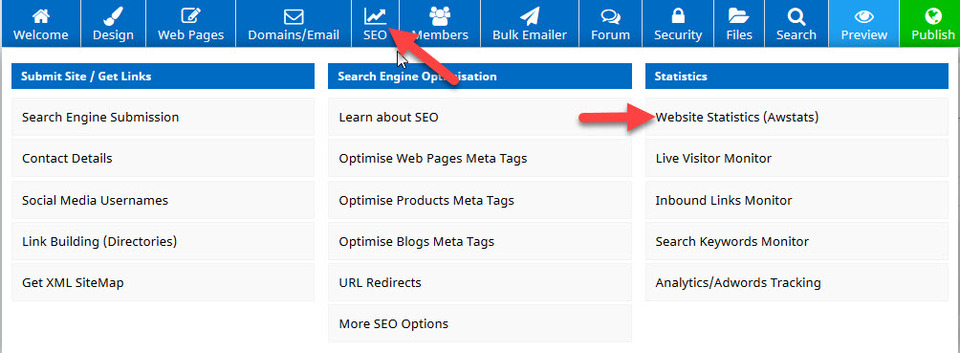
点击“网站统计”按钮后,您就可以访问 AWStats 收集的有关您网站的所有信息。
了解您的 AWStats 结果
Within an AWStats report, you will find different sections which focus on s具体信息。以下是主要部分,以及对这些特定数据用途的简要说明:
概括
The summary information lets you see an overview of the current report period for a specific time. This includes details about unique visitor numbers, number of visits, pages views, hits and bandwidth used.
月度历史记录
Monthly history report on AWStats shows you how your traffic changes from month to month. This can be used to track seasonal variations, advertisements, social media campaigns and SEO improvements.
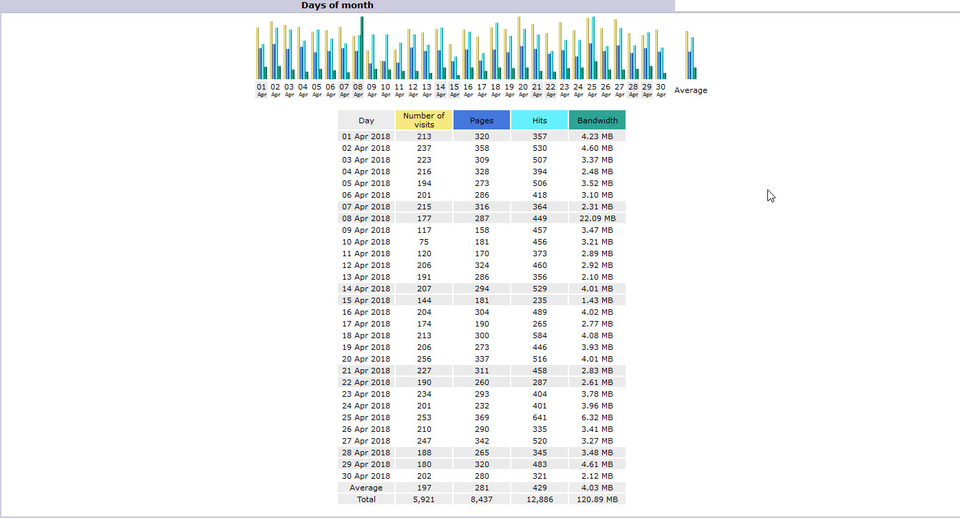
月中的日子
本部分显示您网站在一个月内的访问量和页面浏览量。这可以帮助您了解网站在当月哪些日子访问量最高,从而更好地规划发布新内容或开展促销活动的时间。
Days of the Week
小时
国家
机器人/蜘蛛
访问时长
文件类型
The file type results show you the types of files visitors request through their use of or clicking within your website. This information can be useful at knowing which types of files to include more or less of within your website.
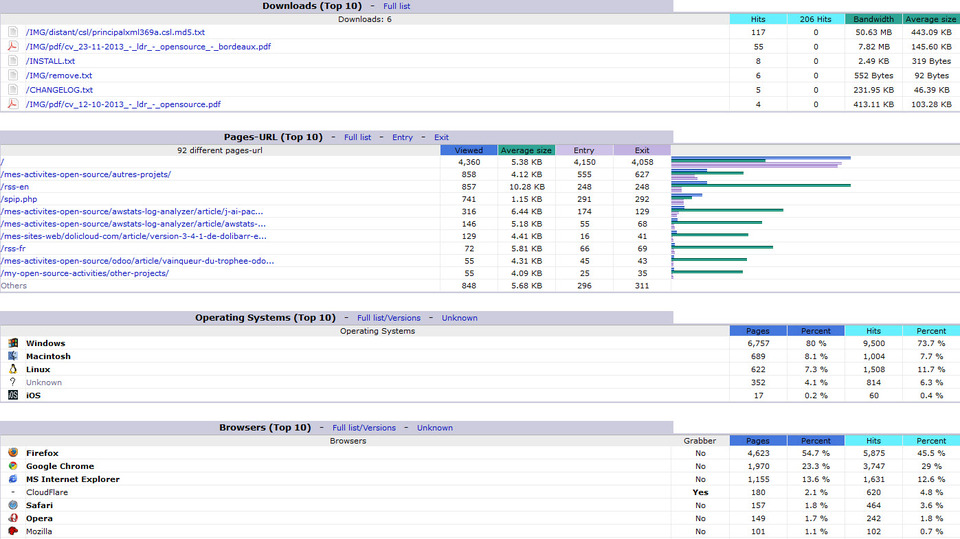
下载
下载区域会显示网站访客请求下载的内容以及下载频率(仅当您已将下载内容上传到内容管理系统 (CMS) 时才会显示)。这有助于您决定应该创建哪些下载内容,并增加其发布量,以满足网站访客的需求。
Operating Systems
AWStats操作系统数据会显示用户访问您的网站时使用的操作系统。如果您希望针对特定操作系统的用户群体进行精准营销,这将非常有用。
浏览器
本部分会显示访客使用的浏览器及其使用频率等详细信息。如果您想针对特定浏览器用户进行精准营销,这将非常有用。
Connect to Site From
搜索关键词
Posted: Wednesday 15 January 2020
