
Learn more about how to setup an art gallery with exhibitions and artists
- Create an ordinary ecommerce website
- Waihanga Artists as "categories"
- Waihanga Exhibitions a "categories"
- Waihanga Artworks as "products" and assign the first category as the "artist"
- Assign additional categories to artworks/products where that artwork should appear in an exhibition.
- Check the box on customise shopping area to "Show artists connected with exhibitions"
- Choose the special "artist product view" that
- Changes typical product wording to artist related terminology
- Includes a link to the artist
- Shows the dimensions of the product if any. Tip if width > 0, and height = 0, then measurement is diameter
- Includes other works by the artist, if any
Artist product view: Product Layout - Header/Price/Social/tabs right
Display options for the Show artists connected with exhibitions page layout
As the page layout is a standard ecommerce page, all settings and features that apply to the ecommerce page are available.
Direct menu links to Artists pages and Exhibitions pages
If you do not want to make the combined Artists Exhibition Homepage visible, but would rather send people to artists, or exhibitions you can use the MENU LINK Page types to link directly to the artist or exhibition category.
Example Screenshots
Artists Exhibition Homepage
As the page type is an ecommerce page the homepage will show a list of Categories (and Products if added to the main page).
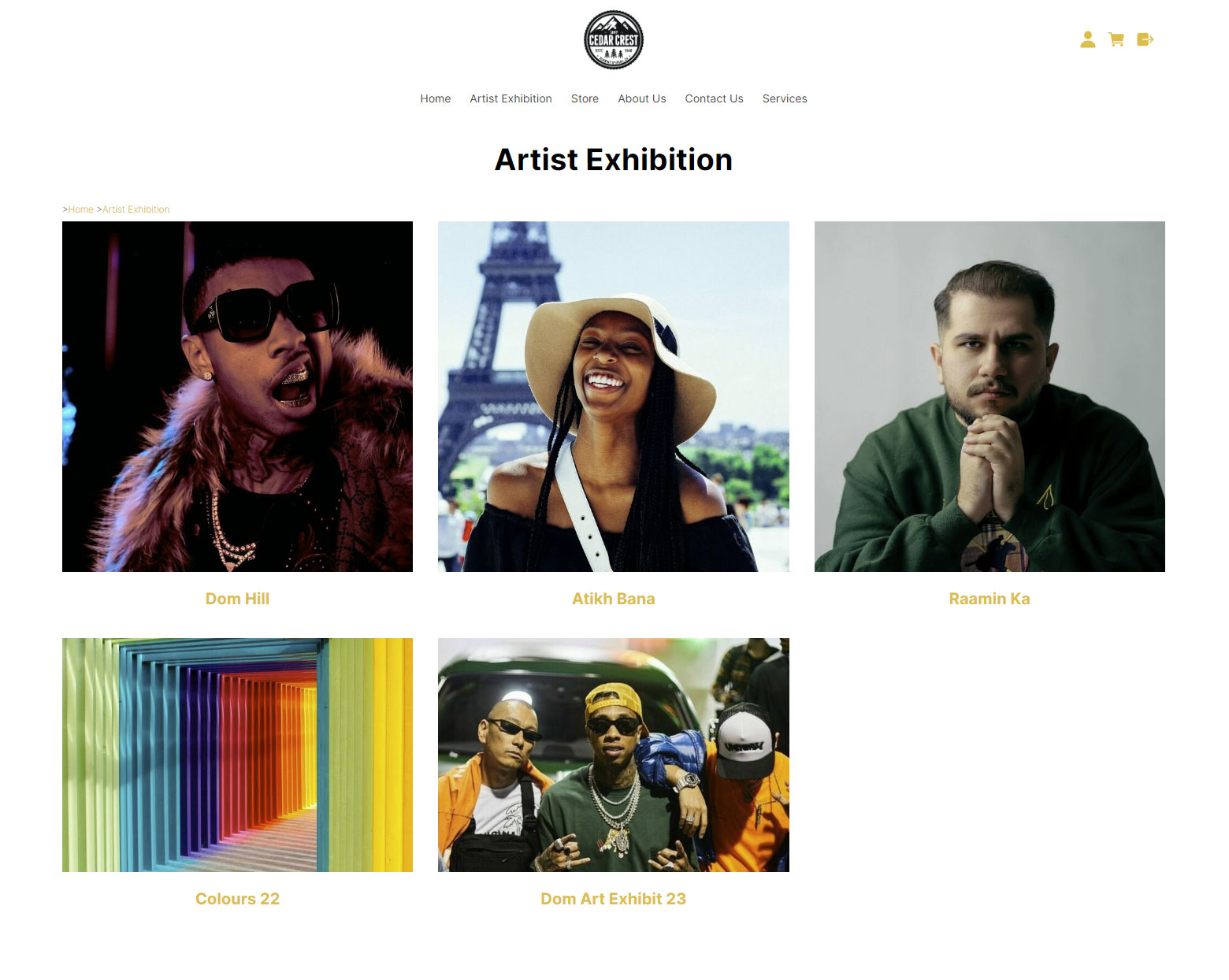
Above - the main artist homepage showing the artist Categories. All Categories added as main categories will show here, including artists and exhibitions.
In the example above the artists have been given square Category images and the exhbition images have been cropped to 6x4 via the image uploader.
Exhibition Page Example
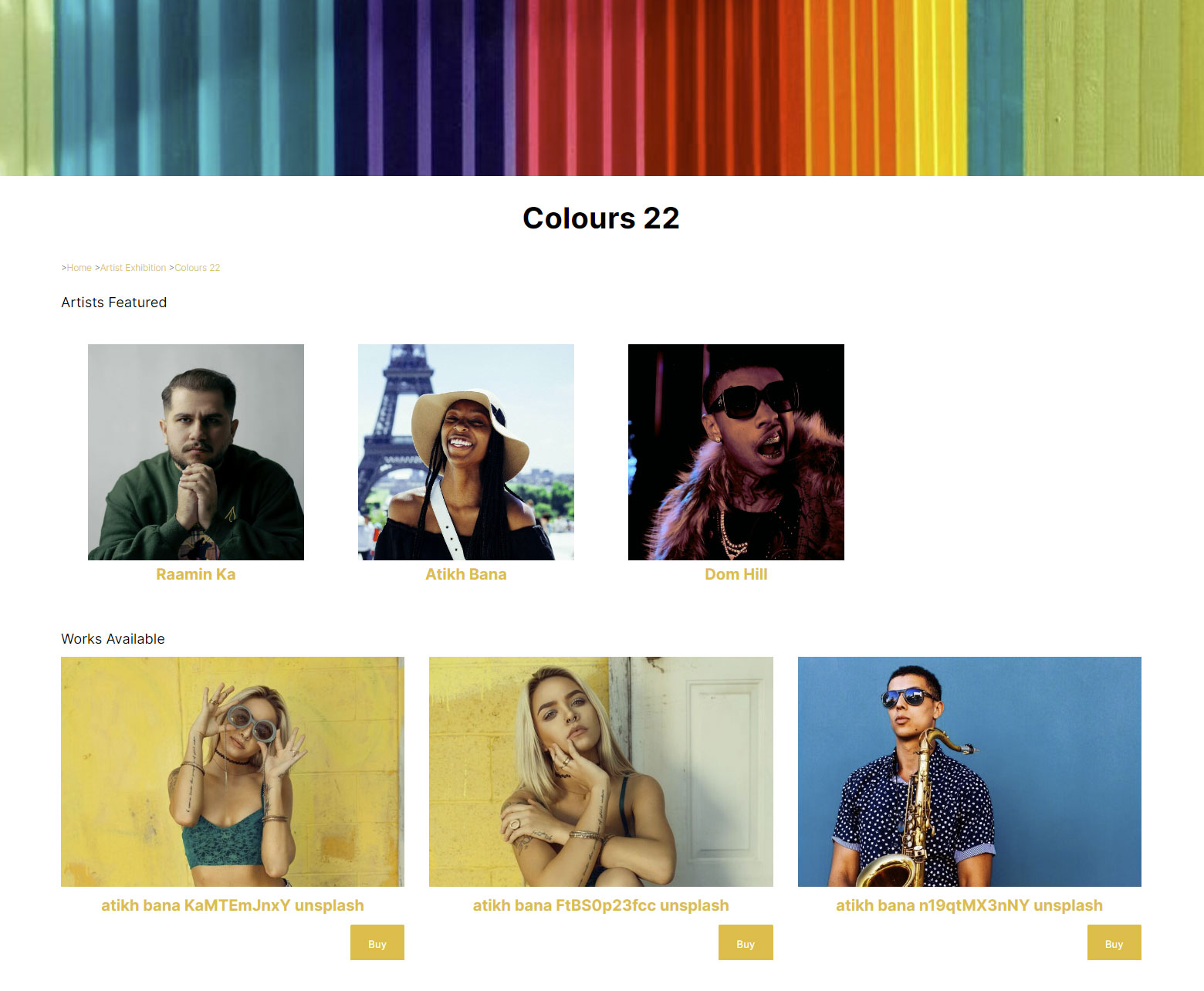
An Exhibition page setup using the steps above.
Artists whose works have been assigned to the exhibition will appear at the top of the page. The artworks (Products) included in the exhibition will then appear below.
With the Category page shown above, a Banner Hero image striped colour has been uploaded to the Category. The image was cropped to 6X1 via the image uploader.
Artist Page
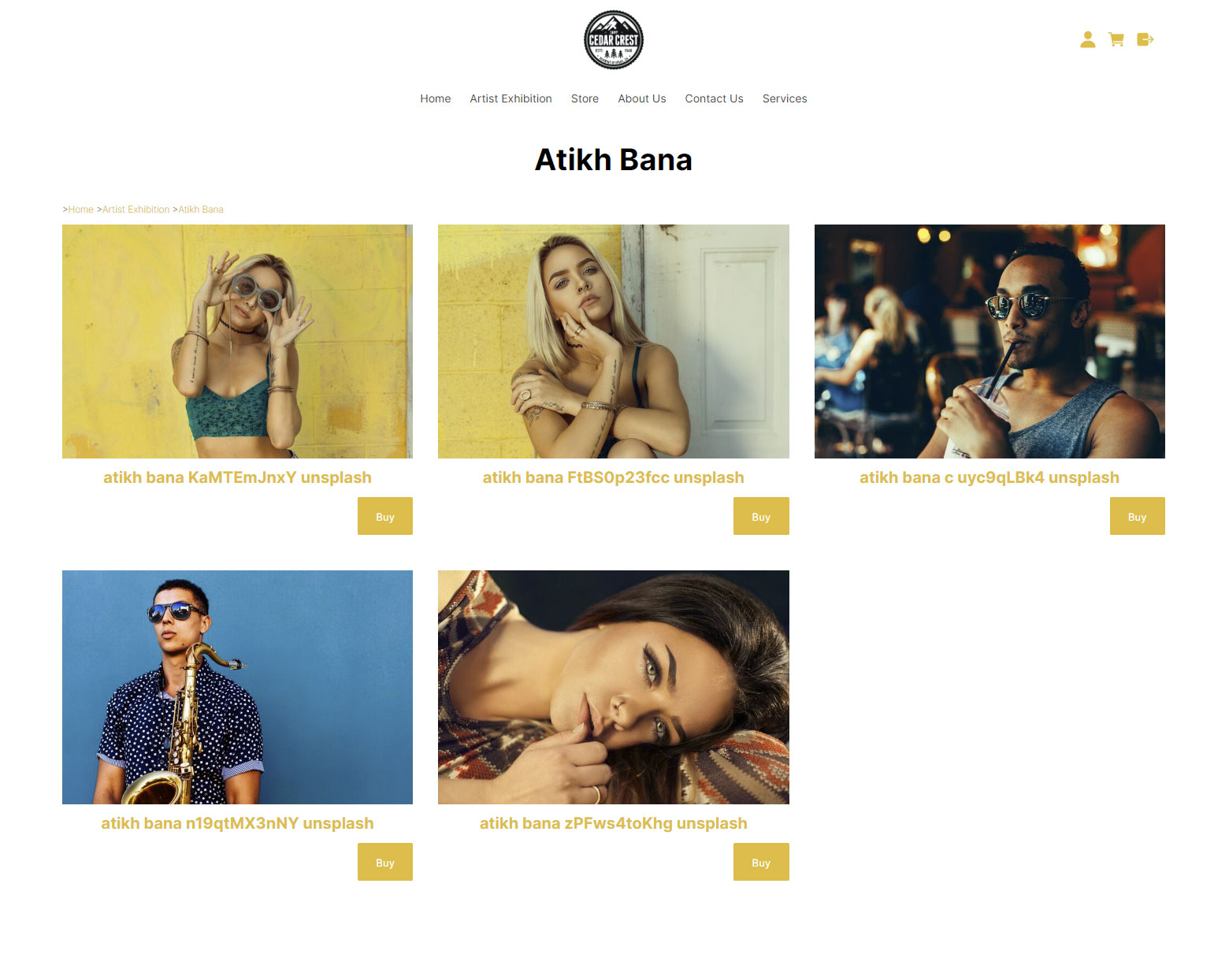
The artist page is a standard Product list page, where the artworks assigned to their artist Kāwai can be viewed
Artwork Detail Page
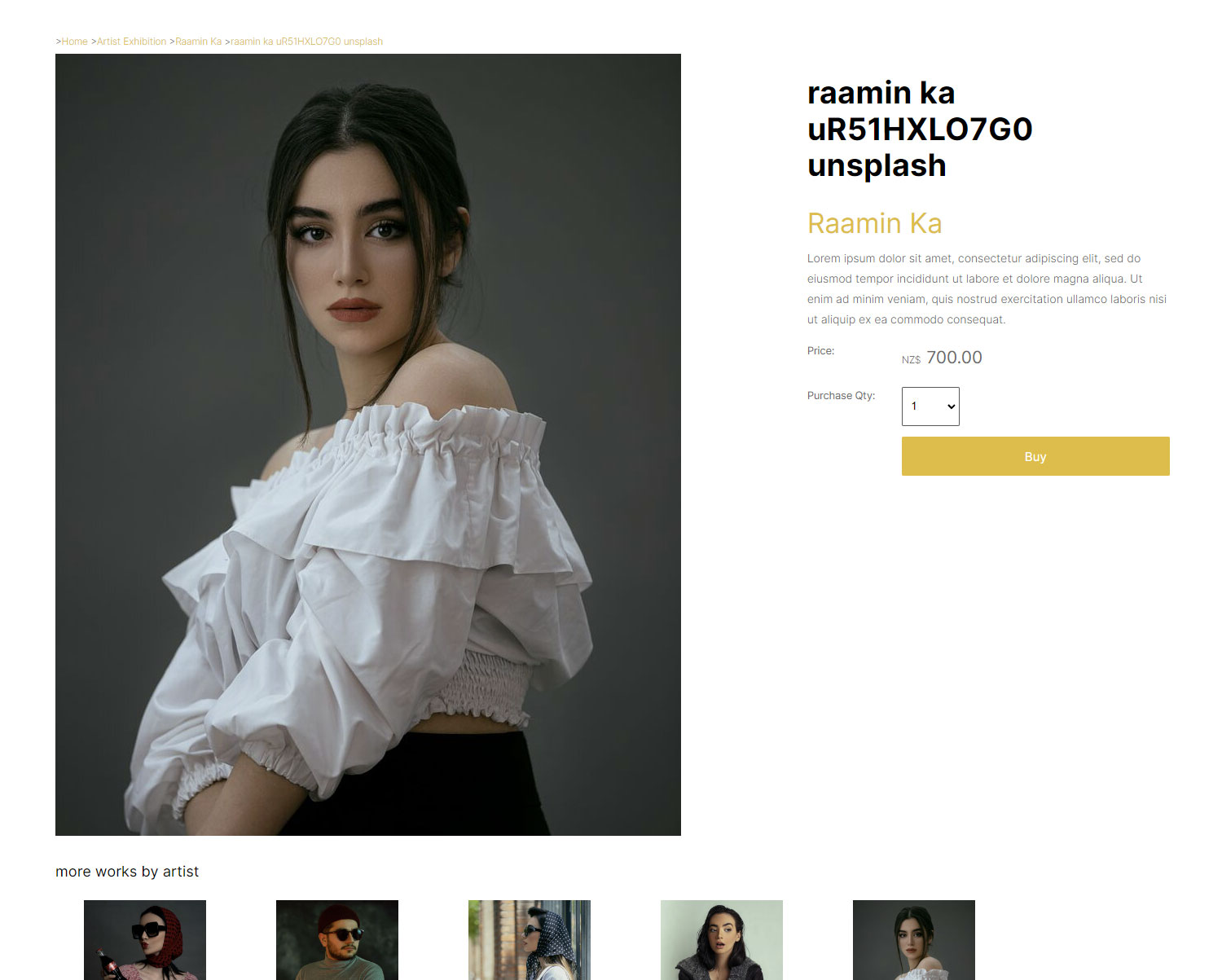
When using the Header/Price/Social/tabs right page layout, the Product page will also provide a link back to the artist page and automatically show additional artworks related to the artist.
More From This Section
FAQ Topics
Building your site
- Pages
- Content Editor Modes Explained
- - DRAG DROP Editor (Default)
- - CONTENTBOX Editor (Advanced)
- - WORD STYLE Editor (TinyMCE)
- - LIVE Editor (Click to Edit Mode)
- Styling Content
- Images / Backgrounds
- Banners and Sliders
- Uploading content
- Design Templates
- Forms
- More Q & A
- Menus
- Mobile Styling and Optimisation
Advanced Page Types
E-Commerce
- Shopping Basics
- Product Pricing, Currencies
- Category Management
- Ngā Hua
- Product Options
- Layout and Formatting
- Ngā Kōwhiringa Utu
- Freight - Couriers
- Processing Orders
- Orders / Invoices
- Advanced Ecommerce
- Plugins
- Wholesale
- Bookings Management System
- Stock & Quantities
- Vouchers, Discounts, Loyalty Points
- Selling Photos / Prints
- Shopping Cart Add-on Page types
- Advanced APIs / Add ons
- Te Wāhi Hoko (POS)
- Reports
Email & Membership
- Member Management
- Members Pages / Template Customisations
- From Addresses and Reply To Email Notifications
- Global Enquiry form options
- Standard Field Names
- Webmail
- Bulk Email
- CRM Features
- Email Campaigns
- Forums & Blogs
- Pop3/Imap Email Services
- Scams and Hoaxes
- Lead Magnets / Growing Your Customer Database
Promoting your site
Advanced
- Power User Options
- Form Spam Filtering
- Wordpress
- PHP Setup
- [TAGS]
- FONTS - Embedding Web Fonts
- jQuery snippets
- FONTS - Uploading local font files
- Search External Links / Import external content
- HTML / CSS Snippets
- Loading additional Material Symbols styles
- FAQ Help Map
- Advanced Template Customisation, CSS, etc
- Languages and Translations
- Importing Content from Another Platform
