
When there are new products added to my existing imported categories - do I have to manually import them, or does it sync automatically
When you first connect to the third-party API you will need to manually import the required Categories (and Products) or map the Categories found to an existing Category in the store.
Once imported you can choose to automatically import new Products via a checkbox option.

Example Product and Category Import screen
Importing new Products from the API
To import new products from the API
- Click the ECOMMERCE main menu item
- Choose Add New Products from the list of options
- Find the Importing and Other Options section, and choose the required API.
- Map the relevant Category and Import the Products as required.
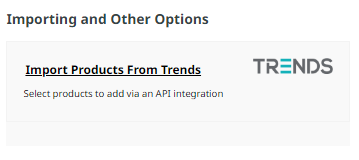
Example import option for Trends
Using Multiple APIs e.g. Trends and Fashionbiz
If you use multiple API connections, ensure the Auto link products by code (Leave unchecked for multiple supplier APIs) option is unchecked in the API settings area.
More From This Section
You can add store-related plugins via the E-Commerce Area
We have several plugins for courier integration, please see our dedicated area for courier plugins and features. eg NZPost, Aramex, StarShipIT, GoSweetSpot, Zappy (ParcelPort) etc
We integrate with several payment plugins.
You can add a comprehensive reviews and ratings system to your ecommerce website very easily.
You can add wishlist functionality to your website shopping pages to allow customers to favourite products prior to purchase.
When enabled makes it possible for users to enrol for stock notifications.
With the Stock Sync Multi Site plugin you have the option to sync product information between multiple ecommerce websites by product code between sites by setting one to be a master website.
How to link your existing Xero account in order to push through draft orders to Xero.
You can create an order in the system with an order status: quote, setting titles and expiry status
Information on the Repeat Order Service aka Standing Orders subscription plugin
Frequently asked questions
Information for the Fashionbiz Plugin
PricySpy compares your product and pricing against others that are similar the same for consumer decision making on their purchase. If you would like to add your products to this site, you can read the instructions here:
Add custom Order Statuses so that your team can manage your workflows. You cannot delete system statuses. Many system actions will update your status, such as when paid or shipped.
You can add additional currency options, setting the currencies to a fixed conversion rate or using live rates.
Members can be imported/exported between MailerLite and the CMS.
How to connect and configure the Klaviyo Plugin
How to connect and configure the Mailchimp Plugin
Quickly complete stocktakes using a keyboard efficient form.
Create manufacturing products with complicated instant quote pricing, algorithms. You can build all sorts of complex product pricing calculations, well suited to manufactured items For example, where the price is area based, such as used with fabrics, glass, joinery etc, and allowing for edging / wastage.
You can tag your products with features so users can search for Products that match the features required using the advanced search function.
You can automatically send follow up emails to your customers with open carts.
You can enable customers to earn loyalty points on paid purchases, which can then be applied as a credit on their next order
Connect Website World to hundreds of other apps with Zapier. Automated connections called Zaps, set up in minutes with no coding, can automate your day-to-day tasks and build workflows between apps that otherwise wouldn't be possible.
Information on the CIN7 Core plugin
This guide explains how to install and configure the TidyStock plugin, to synchronise products, stock levels, pricing, customers and orders with your TidyStock account.
This plugin sends an email at a specified time to you listing out of stock products.
The Scarcity Messages plugin adds eye-catching messages to your website to create a sense of urgency and encourage customers to complete their purchase.
FAQ Topics
Building your site
- Pages
- Content Editor Modes Explained
- - DRAG DROP Editor (Default)
- - CONTENTBOX Editor (Advanced)
- - WORD STYLE Editor (TinyMCE)
- - LIVE Editor (Click to Edit Mode)
- Styling Content
- Images / Backgrounds
- Banners and Sliders
- Uploading content
- Design Templates
- Forms
- More Q & A
- Menus
- Mobile Styling and Optimisation
Advanced Page Types
E-Commerce
- Shopping Basics
- Product Pricing, Currencies
- Category Management
- Ngā Hua
- Product Options
- Layout and Formatting
- Ngā Kōwhiringa Utu
- Freight - Couriers
- Processing Orders
- Orders / Invoices
- Advanced Ecommerce
- Plugins
- Wholesale
- Bookings Management System
- Stock & Quantities
- Vouchers, Discounts, Loyalty Points
- Selling Photos / Prints
- Shopping Cart Add-on Page types
- Advanced APIs / Add ons
- Te Wāhi Hoko (POS)
- Reports
Email & Membership
- Member Management
- Members Pages / Template Customisations
- From Addresses and Reply To Email Notifications
- Global Enquiry form options
- Standard Field Names
- Webmail
- Bulk Email
- CRM Features
- Email Campaigns
- Forums & Blogs
- Pop3/Imap Email Services
- Scams and Hoaxes
- Lead Magnets / Growing Your Customer Database
Promoting your site
Advanced
- Power User Options
- Form Spam Filtering
- Wordpress
- PHP Setup
- [TAGS]
- FONTS - Embedding Web Fonts
- jQuery snippets
- FONTS - Uploading local font files
- Search External Links / Import external content
- HTML / CSS Snippets
- Loading additional Material Symbols styles
- FAQ Help Map
- Advanced Template Customisation, CSS, etc
- Languages and Translations
- Importing Content from Another Platform
