
What is AWStats?
- Unique Visitors - How many unique people visited your website in the last month
-
Ngā Haerenga Ahurei - E hia ngā wā i toro tahi ai rātou? hei tauira, tera pea ētahi tāngata e toro atu ana neke atu i te kotahi i te marama.
-
Whārangi - E hia ngā whārangi i tirohia e te katoa?
-
Whenua - No hea o manuhiri?
-
Incoming Links - Which websites are linking to you? Search Engines - Which search engines are giving you traffic?
-
Robots - E hia nga wa e tirotirohia ana e nga miihini rapu to paetukutuku mo nga mea hou?
-
Te Roanga - Kia pēhea te roa o te noho o te tangata ki tō paetukutuku? He tohu pai tēnei mō te kounga o tō whārangi kāinga... Whai kia 60%, iti iho rānei, te wehe atu i roto i te 30 hēkona. He pai te noho kia 40% neke atu i te 30 hēkona.
-
Keywords and Key phrases - What keywords are working for you? You might find this very interesting, and not what you expected.
Where to Find AWStats Results in the CMS
AWStats is one of the many tools we provide users of our free website builder. You can access the data AWStats records about your website traffic by logging into the CMS and selecting the SEO button, and then the Website Statistics (AWStats) option.
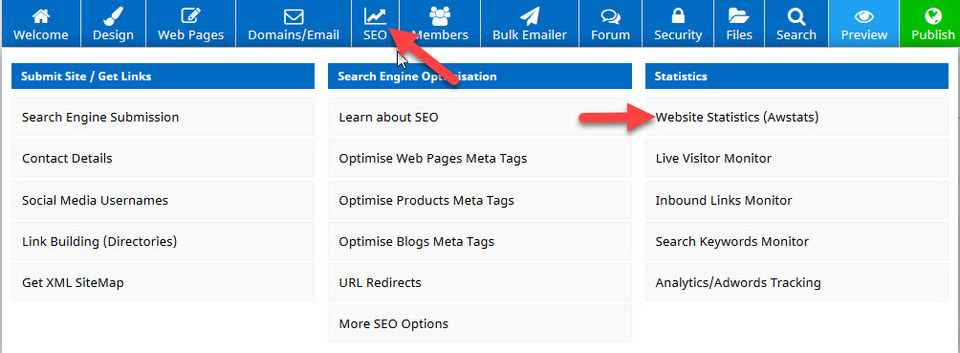
Once you click upon the Website Statistics button, you have access to all of the information collected by AWStats about your website.
Understanding Your AWStats Results
Within an AWStats report, you will find different sections which focus on specific information. Here are the main sections, together with a short explanation of what you can use that specific data for:
Summary
The summary information lets you see an overview of the current report period for a specific time. This includes details about unique visitor numbers, number of visits, pages views, hits and bandwidth used.
Monthly History
Monthly history report on AWStats shows you how your traffic changes from month to month. This can be used to track seasonal variations, advertisements, social media campaigns and SEO improvements.
Days of the Month
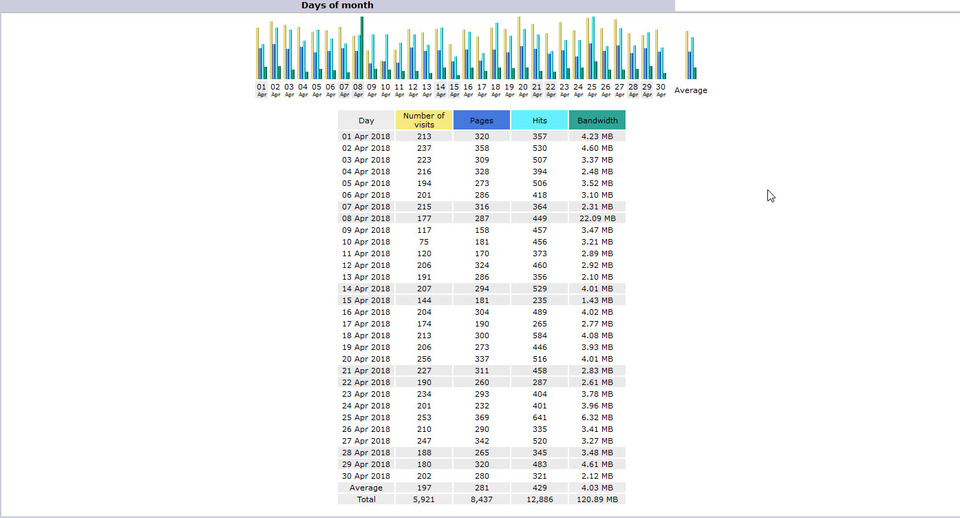
This section shows you how many visits and pages visited during an entire month. This lets you see which days get the most traffic on your website throughout the month, which can help you plan when to publish new content or offer promotions.
Days of the Week
Hours
Countries
Robots / Spiders
Visits Duration
File Type
The file type results show you the types of files visitors request through their use of or clicking within your website. This information can be useful at knowing which types of files to include more or less of within your website.
Downloads
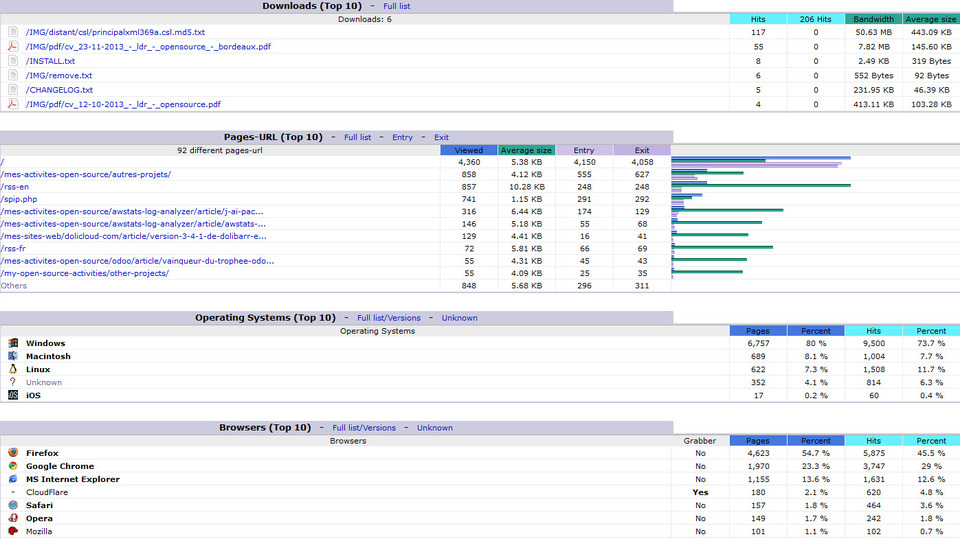
The downloads area shows you data on which downloads requested by visitors to your site and how often they were downloaded (only if you have downloads uploaded to the CMS). This is useful at helping you decide which downloads to create and publish more of for your website visitors.
Operating Systems
The AWStats operating systems data shows you what operating systems people are using when they visit your website. This could help if you are targeting specific users of these systems.
Browsers
Details of which browsers visitors use and how often they are used are displayed within this section. This is useful if you want to target specific browser users.
Connect to Site From
Search Keyphrases & Keywords
Posted: Wednesday 15 January 2020
