
Heres how to get FTP access to your account using Mozilla Firefox.
Note: Your website status needs to be in "WIP" (Work in progress) mode... contact your web host to ensure this
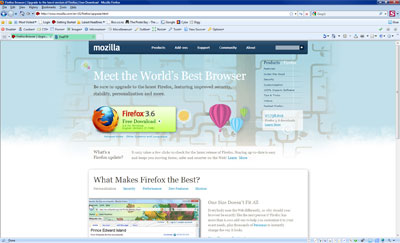
- If you do not have Mozilla Firefox then you can download it konei | What is Mozilla Firefox?
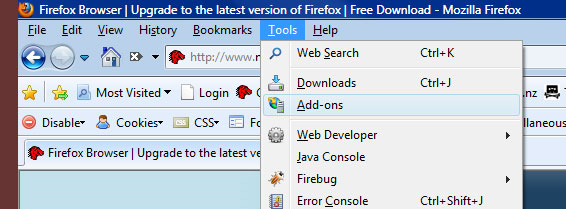
- You will also need the Addon FireFTP, If you do not already have this addon then you can get it by clicking on your tools drop down in the main menu and then selecting the Add-ons link
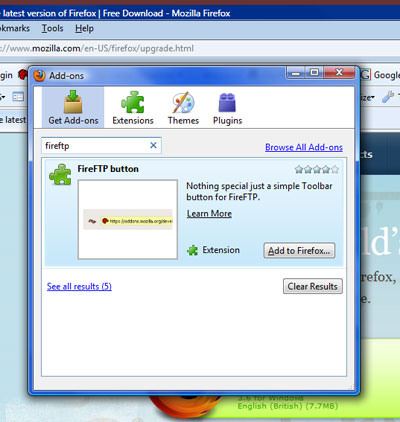
- From the pop up window search for FireFTP and when it has loaded in the list click the 'Add to firefox' button
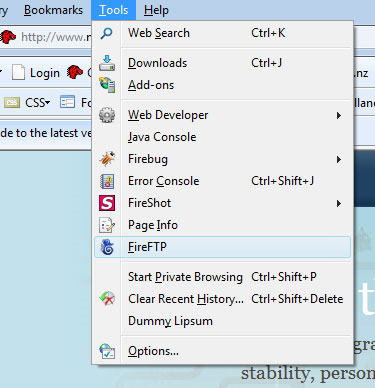
- Once the add on has been installed you can access it from the tools drop down
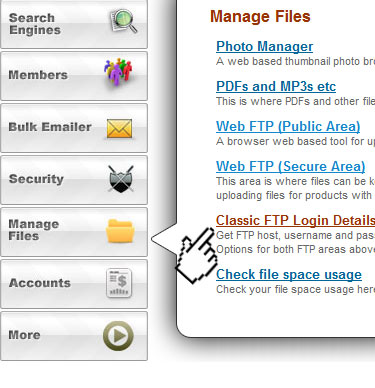
- Once you have FireFTP open in firefox you will need your login details... login to your website and select 'Classic FTP Login Details' from the "Manage Files" popout
 .
.
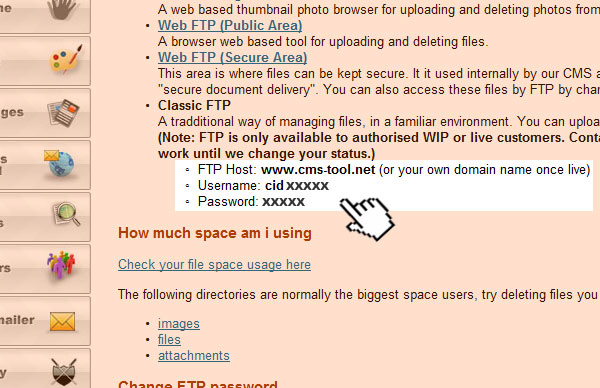
- From the window that opens take note of the details shown in image below, these details will be specific to your web space - Note: www.cms-tool.net is what you use if you dont have a domain name.
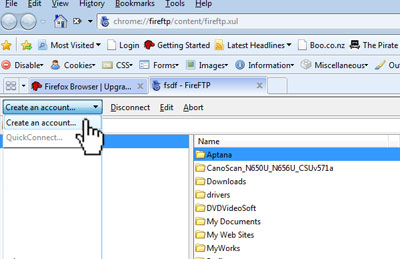
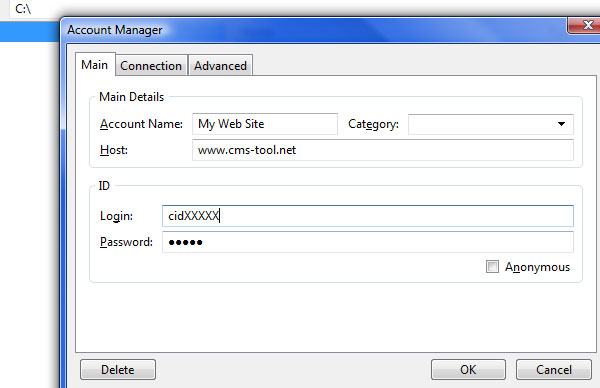
- Back in firefox click on the dropdown and select create account and from the popup window that appears enter your FTP details in the appropiate boxes and press ok.
- Thats it, connect and manage your files
More From This Section
You can quickly link to videos with a video snippet block.
How can your site visitors see your video?
Here is a tutorial for how to upload large files like music files etc (eg over 1 megabyte)
If you have Mozilla Firefox installed then you might want to consider using it for FTP access...
How to Upload and link to a PDF or another document
FAQ Topics
Building your site
- Pages
- Content Editor Modes Explained
- - DRAG DROP Editor (Default)
- - CONTENTBOX Editor (Advanced)
- - WORD STYLE Editor (TinyMCE)
- - LIVE Editor (Click to Edit Mode)
- Styling Content
- Images / Backgrounds
- Banners and Sliders
- Uploading content
- Design Templates
- Forms
- More Q & A
- Menus
- Mobile Styling and Optimisation
Advanced Page Types
E-Commerce
- Shopping Basics
- Product Pricing, Currencies
- Category Management
- Ngā Hua
- Product Options
- Layout and Formatting
- Ngā Kōwhiringa Utu
- Freight - Couriers
- Processing Orders
- Orders / Invoices
- Advanced Ecommerce
- Plugins
- Wholesale
- Bookings Management System
- Stock & Quantities
- Vouchers, Discounts, Loyalty Points
- Selling Photos / Prints
- Shopping Cart Add-on Page types
- Advanced APIs / Add ons
- Te Wāhi Hoko (POS)
- Reports
Email & Membership
- Member Management
- Members Pages / Template Customisations
- From Addresses and Reply To Email Notifications
- Global Enquiry form options
- Standard Field Names
- Webmail
- Bulk Email
- CRM Features
- Email Campaigns
- Forums & Blogs
- Pop3/Imap Email Services
- Scams and Hoaxes
- Lead Magnets / Growing Your Customer Database
Promoting your site
Advanced
- Power User Options
- Form Spam Filtering
- Wordpress
- PHP Setup
- [TAGS]
- FONTS - Embedding Web Fonts
- jQuery snippets
- FONTS - Uploading local font files
- Search External Links / Import external content
- HTML / CSS Snippets
- Loading additional Material Symbols styles
- FAQ Help Map
- Advanced Template Customisation, CSS, etc
- Languages and Translations
- Importing Content from Another Platform
