
When you have more than one website under your login, you are able to switch between websites, either by the dropdown in the top toolbar, or an option on the WELCOME screen / dashboard.
Changing websites from the webspace dropdown in the top toolbar
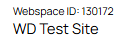
The webspace ID area shows your current Webspace ID and Name.

Clicking the dropdown on the right hand side will show you the number of websites under the account, you can then choose a second website from the list.
Changing websites from the WELCOME dashboard

On the welcome screen, on the right hand side there is a section for your websites available under the current account.
More From This Section
Here are some tips on finding the right answers in this FAQ
You may find it easier to print out the following steps to help create your website.
This page quickly outlines the toolbar functions in the editor
How to add a logo to your website
Adding a Favicon to your site.
A quick overview of the editor buttons and what they do
Read here about the importance of publishing changes, and how the CMS works.
You can change the fonts used by the website via the DESIGN > Fonts and Text Colours button
Where to go to change/rename the text that appears in the heading of the website (standard templates)
You can edit your templates footer area via the Design menu.
How to change your contact details on the site and your account
How to use the Drag and Drop editor including adding links
Add or create a button link in your content using the drag drop editor
You can give your pages unique filenames and rename in bulk as needed
Select the text you want to link and click the chain icon to launch the link wizard
You can style a link as a button in the TinyMCE editor.
If you have more than one website here is how to switch between them.
You can change settings to do with any page via the OPTIONS tab.
Not sure about website terminology? Find the definitions of all the web-related terms we use
Detailed instructions on removing stored information from your browser.
This is the most common issue our support desk faces. Browsers cache pages and this causes you to see old/stale content. If this is your issue, there are several answers...
The preferred web browsers for editing content in our CMS is Google Chrome - for both PC and Mac. However, we do widely support Internet Explorer, Firefox, Safari, Opera, etc. Usage of our WYSIWYG rich content component may differ from browser to browser.
Here is a quick list of things that everyone should know.
If you keep getting logged out after only a few steps, then the problem is to do with session cookies... You need to enable these... here are some tips
FAQ Topics
Building your site
- Pages
- Content Editor Modes Explained
- - DRAG DROP Editor (Default)
- - CONTENTBOX Editor (Advanced)
- - WORD STYLE Editor (TinyMCE)
- - LIVE Editor (Click to Edit Mode)
- Styling Content
- Images / Backgrounds
- Banners and Sliders
- Uploading content
- Design Templates
- Forms
- More Q & A
- Menus
- Mobile Styling and Optimisation
Advanced Page Types
E-Commerce
- Shopping Basics
- Product Pricing, Currencies
- Category Management
- Ngā Hua
- Product Options
- Layout and Formatting
- Ngā Kōwhiringa Utu
- Freight - Couriers
- Processing Orders
- Orders / Invoices
- Advanced Ecommerce
- Plugins
- Wholesale
- Bookings Management System
- Stock & Quantities
- Vouchers, Discounts, Loyalty Points
- Selling Photos / Prints
- Shopping Cart Add-on Page types
- Advanced APIs / Add ons
- Te Wāhi Hoko (POS)
- Reports
Email & Membership
- Member Management
- Members Pages / Template Customisations
- From Addresses and Reply To Email Notifications
- Global Enquiry form options
- Standard Field Names
- Webmail
- Bulk Email
- CRM Features
- Email Campaigns
- Forums & Blogs
- Pop3/Imap Email Services
- Scams and Hoaxes
- Lead Magnets / Growing Your Customer Database
Promoting your site
Advanced
- Power User Options
- Form Spam Filtering
- Wordpress
- PHP Setup
- [TAGS]
- jQuery snippets
- Search External Links / Import external content
- HTML / CSS Snippets
- Embedding Web Fonts
- Loading additional Material Symbols styles
- FAQ Help Map
- Uploading local font files
- Advanced Template Customisation, CSS, etc
- Languages and Translations
- Importing Content from Another Platform
